Capacity surprises
Finding out when a pool is already full means applications stop.
SSM Storage monitoring
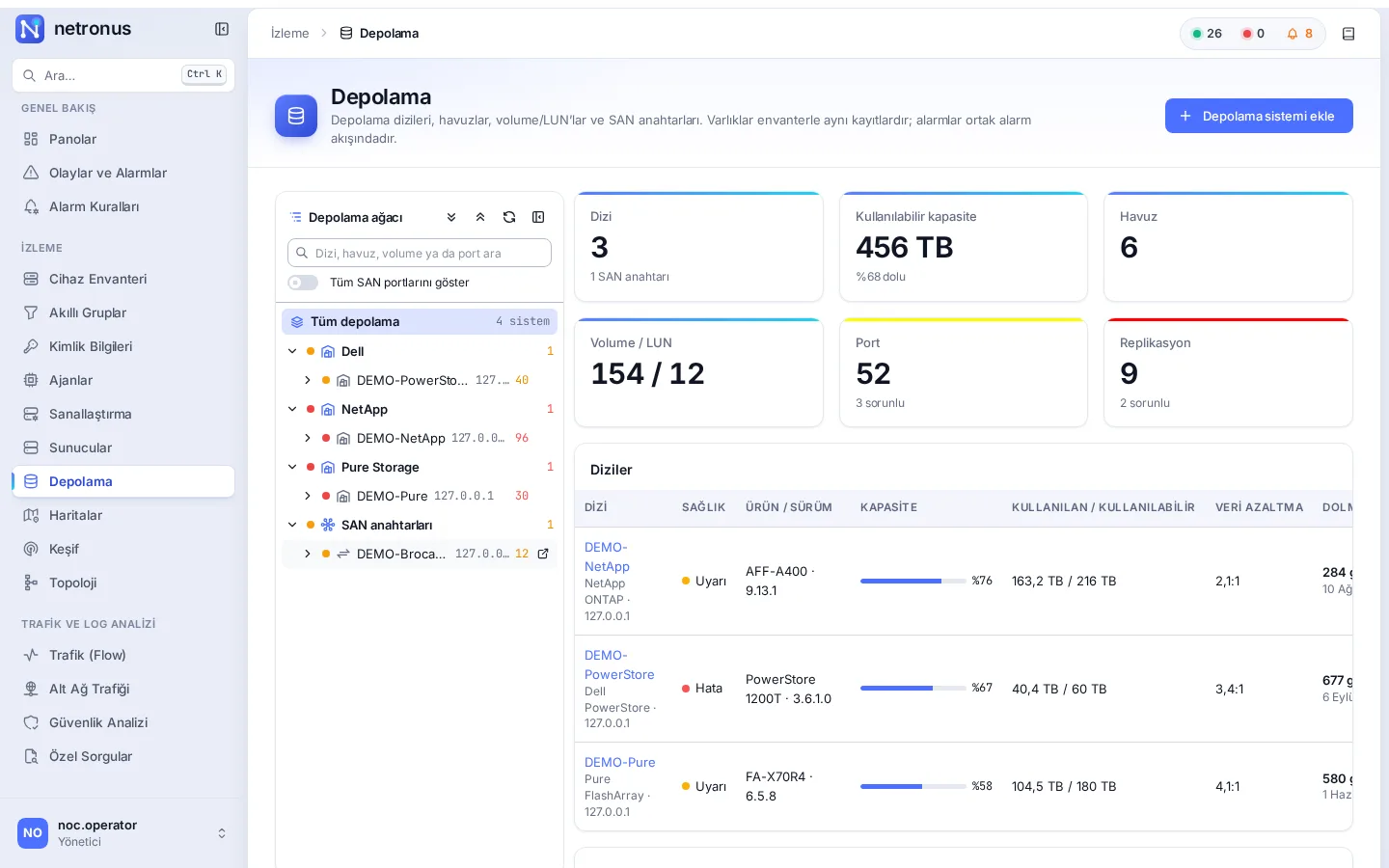
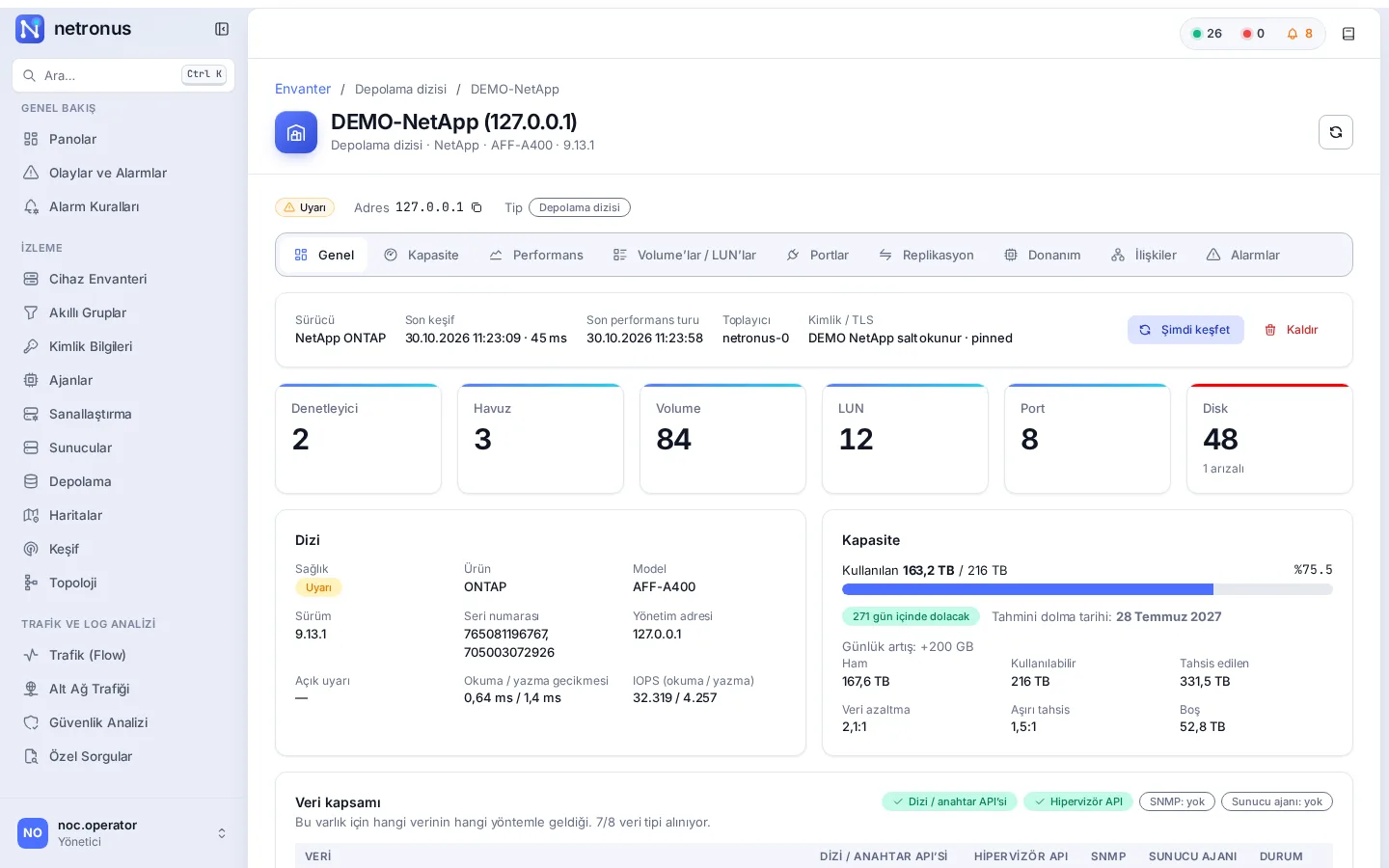
Netronus monitors storage arrays and SAN switches agentless through the vendor’s management API. Controllers, pools, volumes and LUNs and ports are discovered automatically, and the capacity trend produces a “this pool will be full in X days” forecast.
The problem
Finding out when a pool is already full means applications stop.
Watching arrays from different vendors one by one takes time and never gives a single picture.
It is hard to tell whether a slow VM is caused by a LUN, an array or a SAN port.
The solution
All arrays are mapped to one model: array, controller, pool, volume/LUN, port, disk. VMware datastores are matched to LUNs by NAA ID or NFS path, array ports to SAN switch ports by WWPN. The VM → datastore → LUN → pool → array → SAN switch port chain is one click away.
Relationships are discovered automatically and shown on every asset page.

Capabilities
The fill-up date is calculated from the last 24 hours’ trend; “full in X days” alarms are ready for pools, arrays and volumes.
Relationships from the VM down to the SAN switch port are built automatically and shown on the Relationships tab.
IOPS, bandwidth and latency per volume, port and controller; the busiest volumes on the dashboard.
Replication state and lag; snapshot count and age.
Brocade and Cisco MDS port errors, broken links, component health and connected devices.
Array health, capacity, pool usage, controller takeover, disk failure, SAN port errors, broken replication and forecast templates.
A read-only account per array is enough; TLS certificates can be pinned.
With the Netronus Agent, LVM, ZFS, mdraid, multipath and SMART state on servers shows up on the same screen.
Screenshots
Technical summary
| Item | Detail |
|---|---|
| NetApp | ONTAP 9.6+ (AFF, FAS, ASA, ONTAP Select) |
| Dell | PowerStore T / X / Q (PowerStoreOS 2.x – 4.x) |
| Pure Storage | FlashArray //X, //C, //XL, //E (Purity//FA 6.x) |
| HPE | Alletra 9000, Primera, 3PAR StoreServ |
| Huawei | OceanStor V3/V5, OceanStor Dorado |
| IBM | FlashSystem 5000 – 9500, SAN Volume Controller |
| SAN switches | Brocade (Fabric OS 8.2.1+, 9.x), Cisco MDS 9000 (NX-OS 8.4+, 9.x) |
| Collection | Vendor REST APIs; discovery every 5 minutes, performance every minute |
Supported versions are based on the vendors’ official API documentation. We validate your environment together during the demo.
Roadmap
These items are planned and not part of the current release.
Related
Monitor vCenter, ESXi and Proxmox VE agentless: hosts, VMs, LXC containers, datastores, snapshots, backups, Ceph and ZFS.
Explore the moduleThresholds with duration and hysteresis, rate of change, forecasts, seasonal baselines; maintenance and dependency suppression. One engine for network, servers and storage.
Explore the moduleMonitor Linux and Windows servers agentless over SSH, WinRM, SNMP and Redfish, or in depth with the lightweight Netronus Agent.
Explore the moduleWe will set up a demo on your network, show the screens with your own devices and prepare a quote for the modules you need.