Network engineers
SNMPv3, custom OIDs, LLDP/CDP topology, configuration templates, CVE checks and SSH from the browser. Everything you need during an incident, in one place.
Network management for enterprises
Netronus unifies device monitoring, alerting, flow analysis, log management, configuration backup, RADIUS and reporting in a single platform. It runs on your own server and helps your network team find problems first and fix them faster.
Who it’s for
Instead of switching between separate monitoring, log, flow and backup tools, everyone works from the same data, with permissions that match their role.
SNMPv3, custom OIDs, LLDP/CDP topology, configuration templates, CVE checks and SSH from the browser. Everything you need during an incident, in one place.
Problem devices always on top. A live alarm list with severity and priority, maintenance mode, email and SMS notifications, and guest dashboards for the wall screen.
Availability reports calculated over business hours, capacity trends, compliance and security reports, and auditable access through the permission matrix.
Modules
Each module is useful on its own. Together, they take you from an alarm to that device’s traffic, logs and configuration history in a single click.
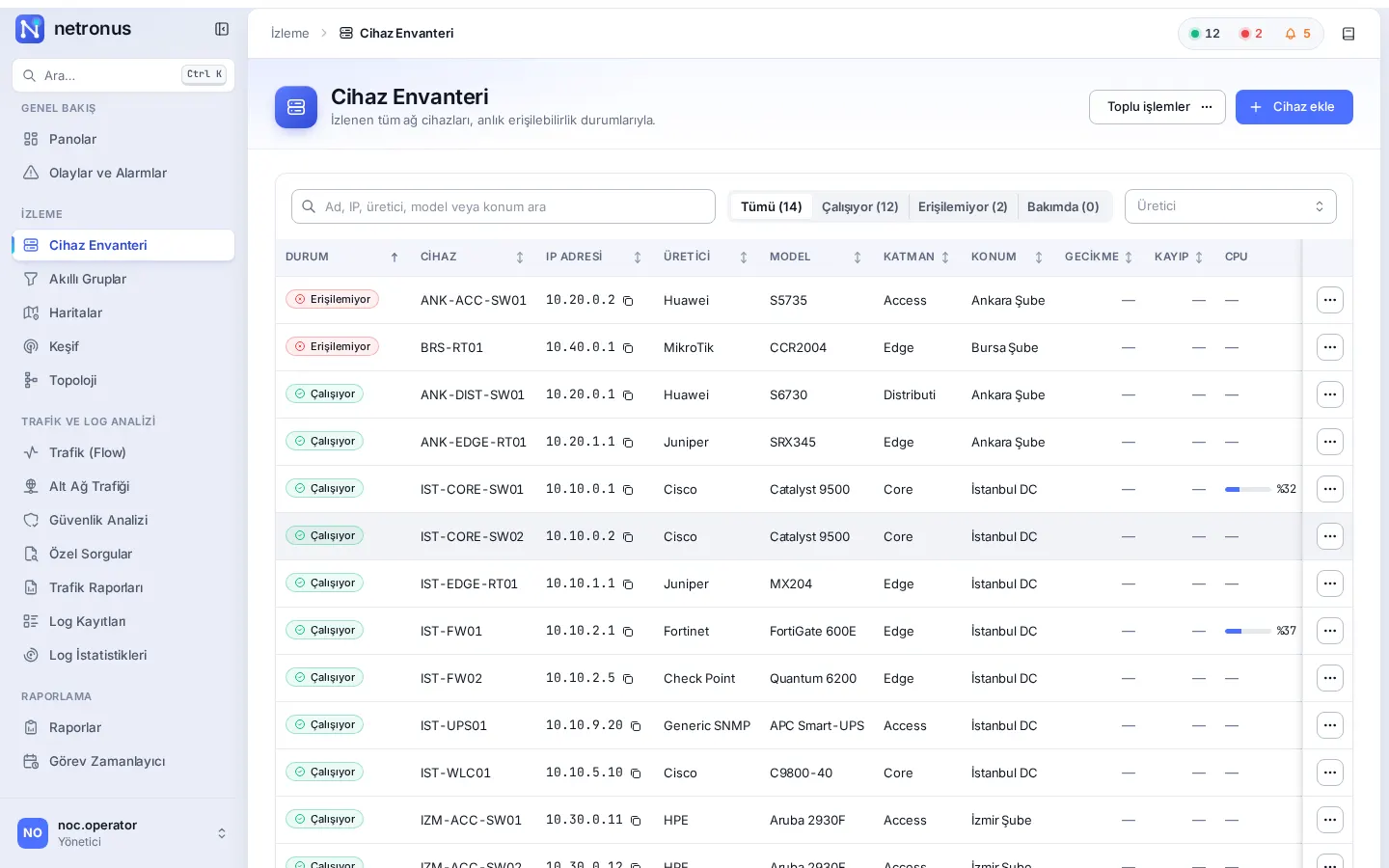
Continuously monitor routers, switches, firewalls and servers over ICMP and SNMP, and alert the right people through the right channel the moment something breaks.
Explore the moduleSee who is using your bandwidth, with which application and toward which country, and catch malicious traffic and DoS patterns in your flow data.
Explore the moduleCentrally collect, filter and live-tail syslog and SNMP trap messages, and keep them tamper-evident with time-stamped signatures.
Explore the moduleBack up device configurations with templates, compare versions, and audit them against your policies and known vulnerabilities.
Explore the moduleManage administrator access to your network devices with central RADIUS, and keep a record of who connected to which device and when.
Explore the moduleProduce availability, interface, hardware, IP SLA and system reports from ready-made templates, calculate them over business hours, and run them on a schedule.
Explore the moduleScan your network and add devices to the inventory, build the topology from LLDP/CDP, and watch your sites on a geographic map.
Explore the moduleThe tools you need during an incident, in the browser: ping, traceroute, DNS, port scan, SNMP test, IP–MAC history, packet capture and web SSH.
Explore the moduleUsers, groups and a granular permission matrix; Active Directory/LDAP sign-in, signed automatic updates and on-premises deployment.
Explore the moduleMonitoring & alerting
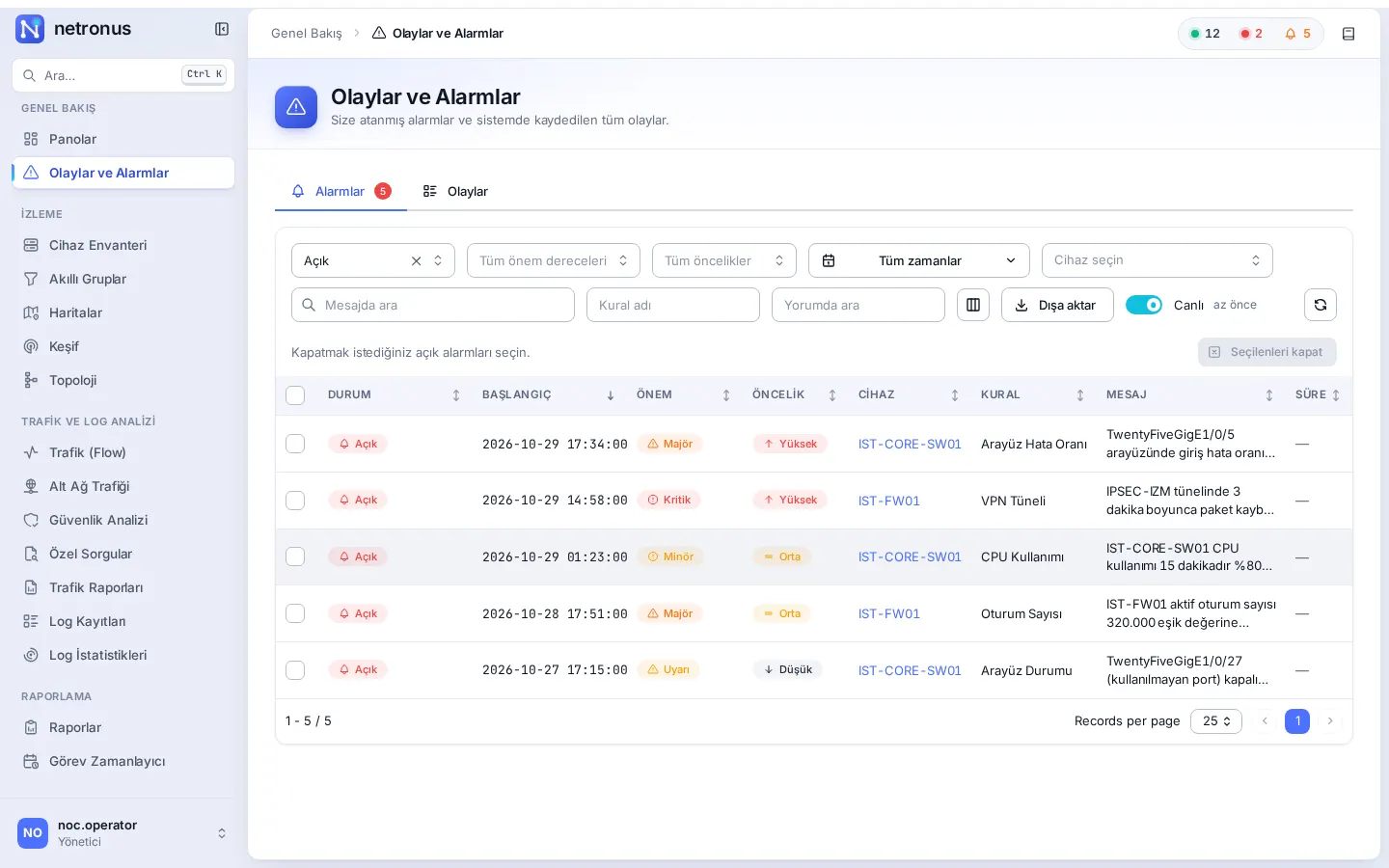
Alarm rules combine thresholds, durations and reset conditions, and linked rules are correlated into a single event. Triggers can send email, SMS, HTTP POST or SNMP traps, and can even run a configuration template on the device.
Log management
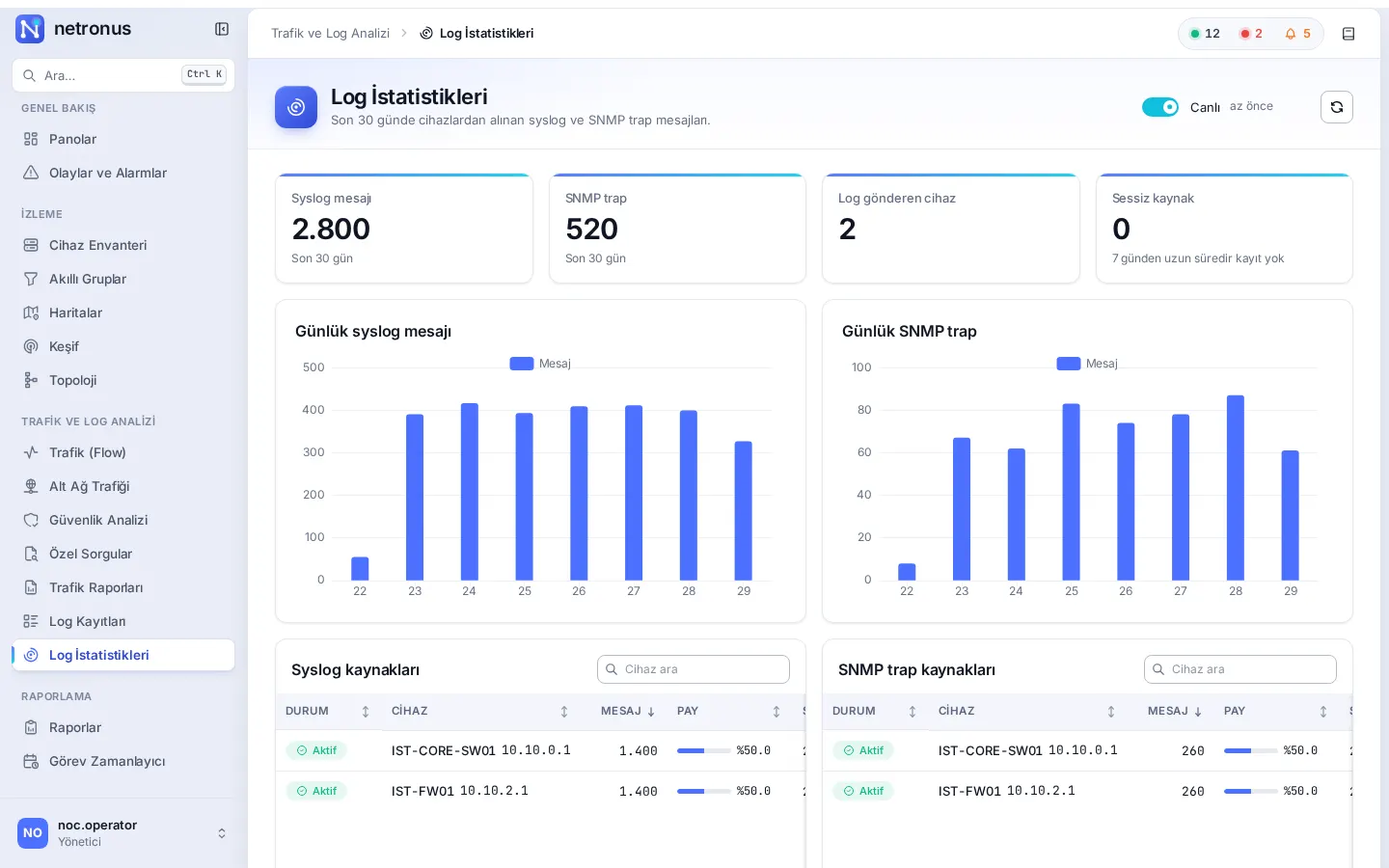
Syslog and SNMP trap messages from every device are collected centrally, filtered and followed live. Sign selected records with RFC 3161 time stamps to prove they have not been altered, and support your Turkish Law No. 5651 log retention processes.
Configuration management
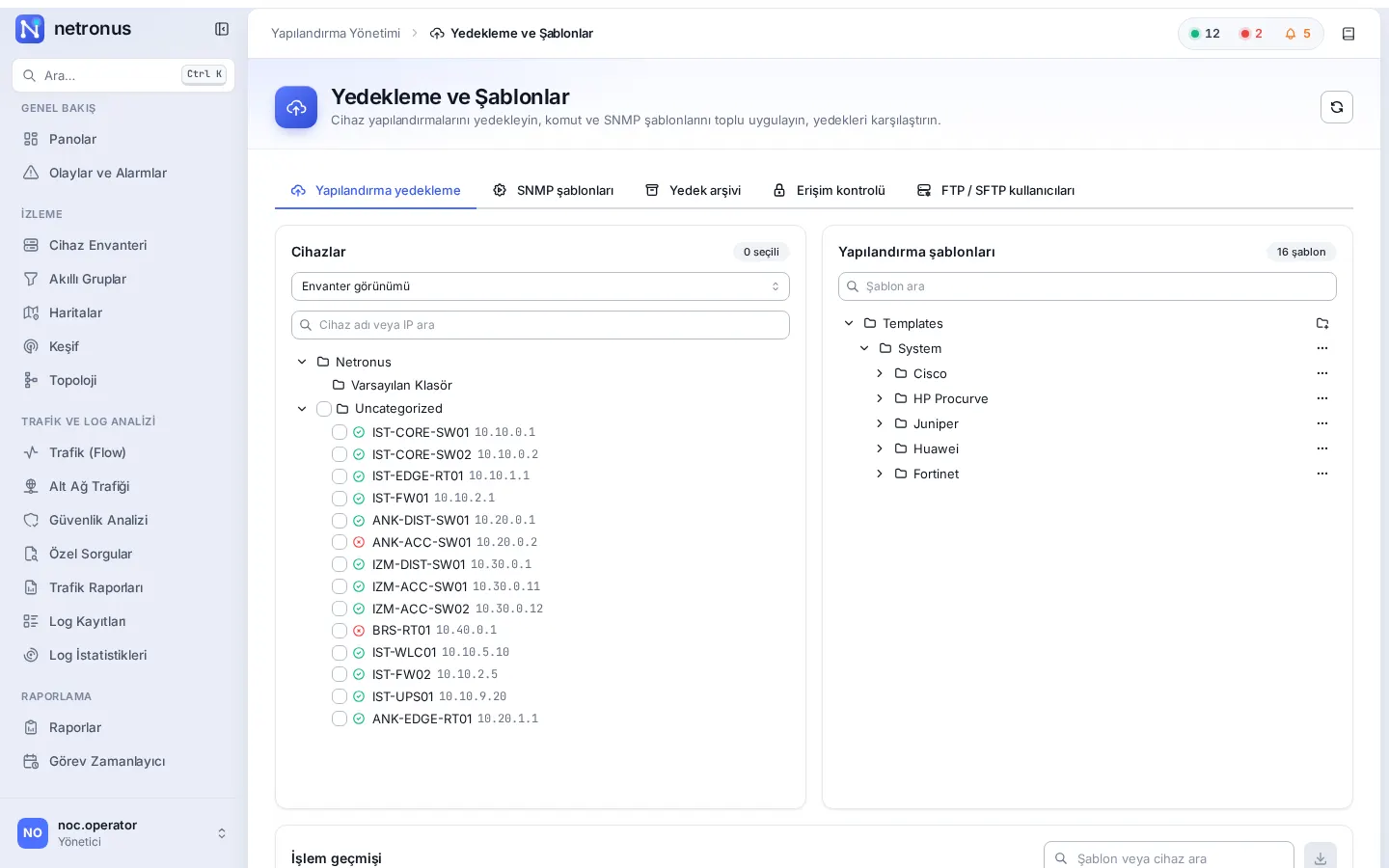
Back up hundreds of devices in one run with vendor-specific templates. Compare versions side by side, audit compliance with your corporate rules, and match device software versions against known CVEs.
Multi-vendor networks
Netronus includes device-type definitions, templates and vendor-specific data for the vendors below. Anything else is monitored as Generic SNMP or Generic IP, and custom OID sets let you collect any MIB value.
Why Netronus?
Every component runs on your own server. Network data, logs and configurations never leave your organisation, and it works in air-gapped networks too.
One system instead of separate products, licences and interfaces for monitoring, flow, logs, configuration, RADIUS and reporting.
The interface is available in English and Turkish, and technical terms keep their industry names.
Log records are signed with RFC 3161 time stamps. Because data stays inside your organisation, data-protection processes remain under your control.
Group-based device visibility and a per-module permission matrix. Users sign in with their Active Directory / LDAP accounts.
Lists that put problem devices first, Ctrl+K search from anywhere, and one-click copy for IP and MAC values. Dark theme for those who want it.
How it works
Netronus runs as a server inside your network. It collects data from your devices over standard protocols, correlates it in a single database, and turns it into answers for your team.
Let’s schedule a demo in your own environment or prepare a quote for your needs. Pricing depends on the number of devices and the modules you choose.